 Free shipping on orders $50+


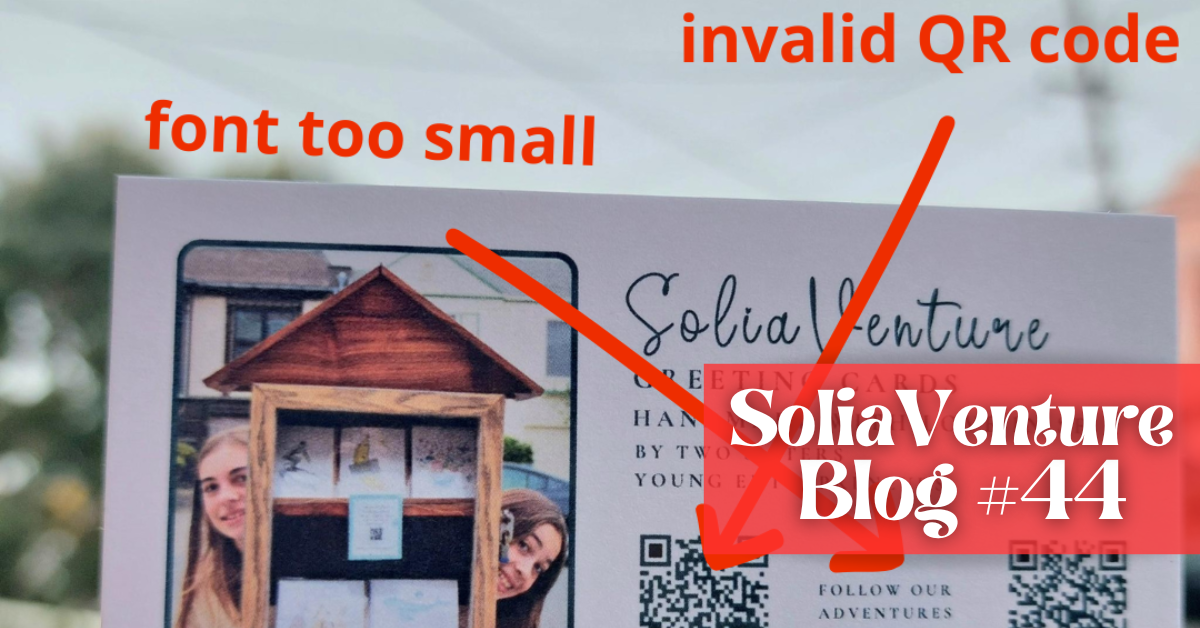
The mistakes we made… so you don’t have to (printing business cards)
For a long time, we made our own business cards.
Very basic. Very DIY.
Then we started thinking business cards felt a bit old-style, so we tried something more “modern”: an NFC bracelet. You tap a phone (or scan a tiny code), and people can instantly find (and save) your website, email, Instagram, newsletter… everything.
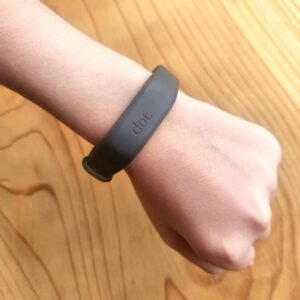
It’s actually really handy.
But something funny happened.
Even with the bracelet, people still kept asking us:
“Do you have a business card?”
Not everyone wants to scan. Not everyone likes doing the phone thing on the spot. And honestly, we get it. Sometimes paper is just easier.
So we decided to print real cards too.
We designed them in Canva, added our info, and included two QR codes—one for Instagram, one for our newsletter. We thought we’d found a good balance between classic and modern. 🙂
Usually, when we print greeting cards, we ask our printer for a proof first. Because what looks good on a screen doesn’t always look good on paper: size, color, placement.
This time, we asked the printer if we really needed a proof for something this simple.
He said no.
So we skipped it.
We were so excited when the box arrived.
And then we scanned the QR code.
“This QR code has been deactivated for some reason.”
We stared at our phone like… what??
At first, we thought it was our phone. We tried again. And again.
Same message.
What happened (and what we didn’t know)
We’ve printed QR codes before, and they always worked. So we assumed this would be the same.
What we didn’t realize was that this time, we had created dynamic QR codes instead of static ones.
🔗 A static QR code points directly to a link and doesn’t expire.
🔄 A dynamic QR code goes through a service first—and if that service stops, the code can stop working too.
When we created the QR codes, everything worked perfectly… because we were on a free trial.
By the time the cards were printed, the trial had ended.
We had assumed the trial only mattered when creating the QR codes—not afterward.
And without knowing it, our shiny, brand-new cards already had expired QR codes.
Why we reprinted everything
Once we understood what happened, the decision was easy. We didn’t want business cards that depend on a paid plan to stay usable.
And while looking at them (trying to stay calm), we noticed something else: the font was too small.
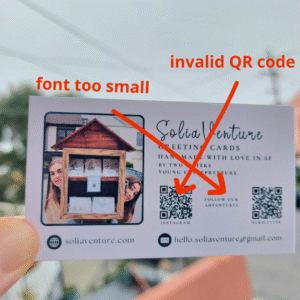
At that point, redoing the whole batch felt almost… relieving.
What we’re taking from it
Things that look simple often aren’t, especially when tech is involved. That means taking the extra step: asking for a proof, testing everything, and slowing down before clicking “print.”
Next time, we’ll do exactly that.
Before you go
💌 New here? You can still catch up — read our previous newsletters here.
Solène & Zélia, for SoliaVenture